中文
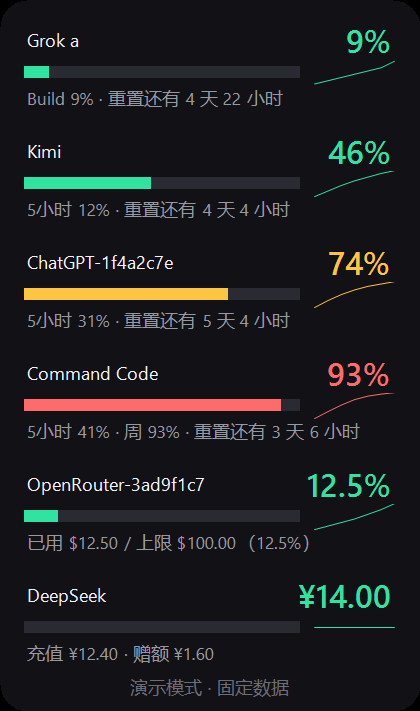
卡片贴着桌面边缘常驻,每行一个供应商,显示已用百分比、窗口重置时间与趋势;悬停即可看到明细, 双击打开对应的官方用量页。数据全部来自你本机已有的登录凭证,不经过任何中转服务器。
支持的供应商
| 供应商 | 显示内容 | 凭证来源 |
|---|---|---|
| Grok | Build / Chat 等产品的周用量与重置时间(多账号,每个账号一行) | ~/.grok/auth.json |
| Kimi | 5 小时窗与周窗口用量 | ~/.kimi-code/credentials/kimi-code.json |
| ChatGPT / Codex | 5 小时窗与周窗口用量(多账号) | ~/.codex/auth.json |
| Gemini / Antigravity | 配额百分比与重置时间 | Windows 凭据管理器 gemini:antigravity |
| Command Code | 5 小时窗与周窗口用量,可选余额 | ~/.commandcode/auth.json |
| OpenRouter | 密钥额度与上限(每个密钥一行) | ~/.openrouter/auth.json 或环境变量 |
| DeepSeek | 账户余额与充值 / 赠额明细 | ~/.deepseek/auth.json 或环境变量 |
| Cline | 5 小时 / 周 / 月额度与重置时间(多账号,每个登记账号一行) | ~/.cline/data/settings/providers.json |
| Claude Code | 5 小时窗与周窗口用量 | ~/.claude/.credentials.json |
| Cursor | 计费周期已用百分比与剩余额度 | Cursor 的 state.vscdb |
| GLM / Z.AI / 智谱 BigModel | Coding Plan 的 5 小时窗与周窗口 | ~/.zai、~/.zhipu、~/.bigmodel 或 ZCode 配置 |
| GitHub Copilot | Premium requests 已用占比与重置日期 | ~/.config/github-copilot |
主要能力
- 额度预警与重置提醒,支持每个供应商单独设置阈值
- 7 天迷你趋势线、额度耗尽时间预测、按供应商静音时段
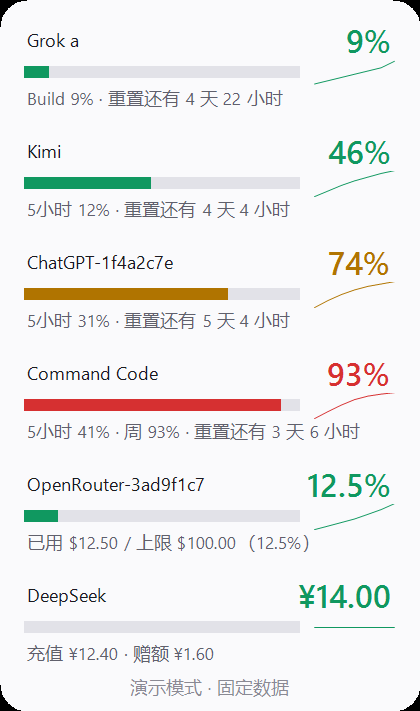
- 1 - 3 列布局、浅色 / 深色主题、透明度与紧凑模式、锁定位置
- 历史记录落盘为 JSONL,可导出原始采样 CSV、按天汇总 CSV、月度报表 Markdown / HTML
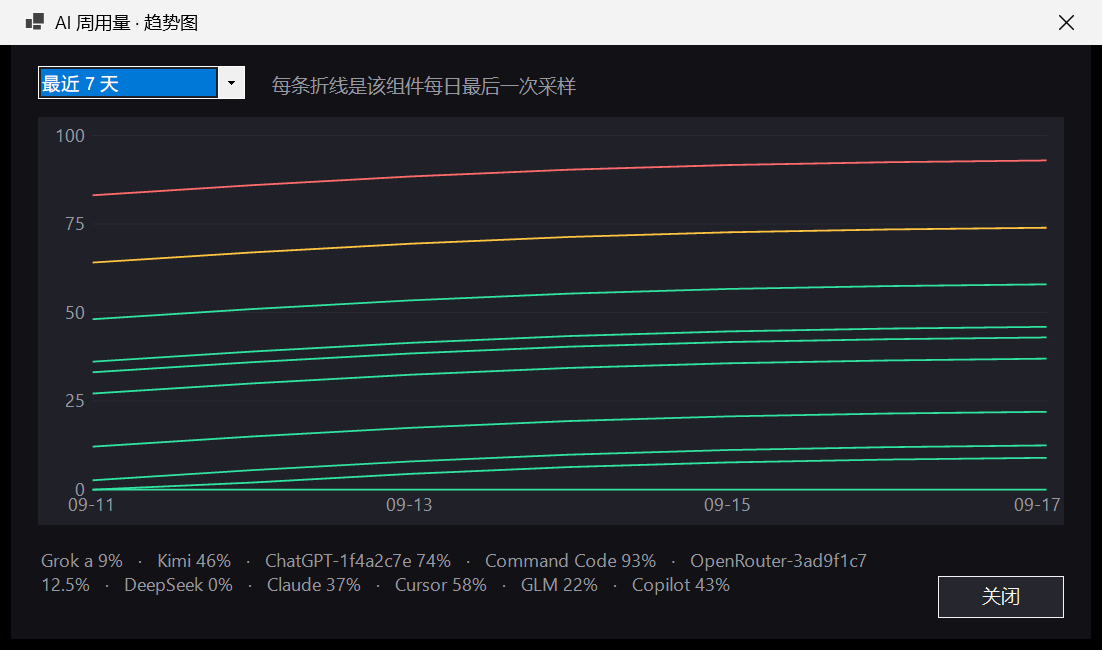
- 多月对比导出(供应商 × 月份表格 + 环比变化)与独立趋势图窗口(7 / 14 / 30 天)
- 每日汇总气泡、托盘菜单、中英双语界面(跟随系统或手动指定)
- 右键「关于…」可检查 GitHub 最新 Release
English
A small always-on-top card that docks to the edge of your desktop. One row per provider shows the used percentage, the window reset time and a trend line; hover for details and double-click to open the provider's own usage page. Everything is read from credentials already on your machine - nothing is proxied through a third-party server.
Providers
| Provider | Shows | Credential source |
|---|---|---|
| Grok | Weekly usage and reset time (one row per account) | ~/.grok/auth.json |
| Kimi | 5-hour and weekly windows | ~/.kimi-code/credentials/kimi-code.json |
| ChatGPT / Codex | 5-hour and weekly windows (multi account) | ~/.codex/auth.json |
| Gemini / Antigravity | Quota percentage and reset time | Windows Credential Manager gemini:antigravity |
| Command Code | 5-hour and weekly windows, optional balance | ~/.commandcode/auth.json |
| OpenRouter | Key credit usage and limit (one row per key) | ~/.openrouter/auth.json or an environment variable |
| DeepSeek | Account balance and top-up detail | ~/.deepseek/auth.json or an environment variable |
| Cline | 5-hour / weekly / monthly quota and reset time (one row per registered account) | ~/.cline/data/settings/providers.json |
| Claude Code | 5-hour and weekly windows | ~/.claude/.credentials.json |
| Cursor | Billing period percentage and remaining credit | Cursor state.vscdb |
| GLM / Z.AI / Zhipu BigModel | Coding Plan 5-hour and weekly windows | ~/.zai, ~/.zhipu, ~/.bigmodel or the ZCode config |
| GitHub Copilot | Premium request percentage and reset date | ~/.config/github-copilot |
Highlights
- Alert thresholds per provider, plus reset notifications
- 7-day sparkline, exhaustion forecast, quiet hours
- 1 - 3 column layout, light and dark theme, opacity, compact mode, position lock
- History is stored as JSONL and can be exported as raw CSV, daily totals CSV or a monthly Markdown / HTML report
- Multi-month comparison export (provider-by-month table with change column) and a dedicated 7 / 14 / 30-day trend window
- Daily summary balloon, tray menu, Chinese and English UI
- "About..." in the tray menu checks the latest GitHub release
安装 / Install
仓库自带安装器,重复执行即为升级,不需要管理员权限:
git clone https://github.com/Regine88/ai-usage-widget
cd ai-usage-widget
powershell -NoProfile -ExecutionPolicy Bypass -File .\install.ps1常用参数:.\install.ps1 -Status 查看状态,.\install.ps1 -Uninstall 卸载,
.\install.ps1 -Uninstall -Purge 连数据一起清掉。
也可以直接下载 Release 里的 zip 安装,或让 Scoop 管理:
.\install.ps1 -Zip .\ai-usage-widget-0.16.0.zip
scoop install https://github.com/Regine88/ai-usage-widget/releases/latest/download/ai-usage-widget.json
不想安装时,双击仓库里的 Start-AiUsageWidget.vbs 就能免安装运行;
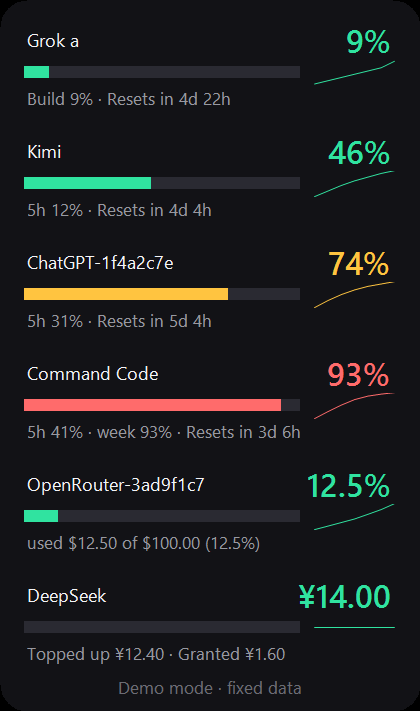
想先看界面效果,用 -Demo 参数启动即可看到固定演示数据。

配置 / Configuration
所有开关都在 ai-config.json,也可以在卡片右键「设置…」里改:刷新间隔、供应商开关、透明度、
阈值、静音时段、界面语言、窗口列数、每日汇总与分供应商阈值。配置文件与历史记录只写在本机,
发布包里不会包含任何个人数据。
{
  "intervalSeconds": 300,
  "columns": 2,
  "dailySummary": true,
  "providers": { "grok": true, "copilot": true }
}